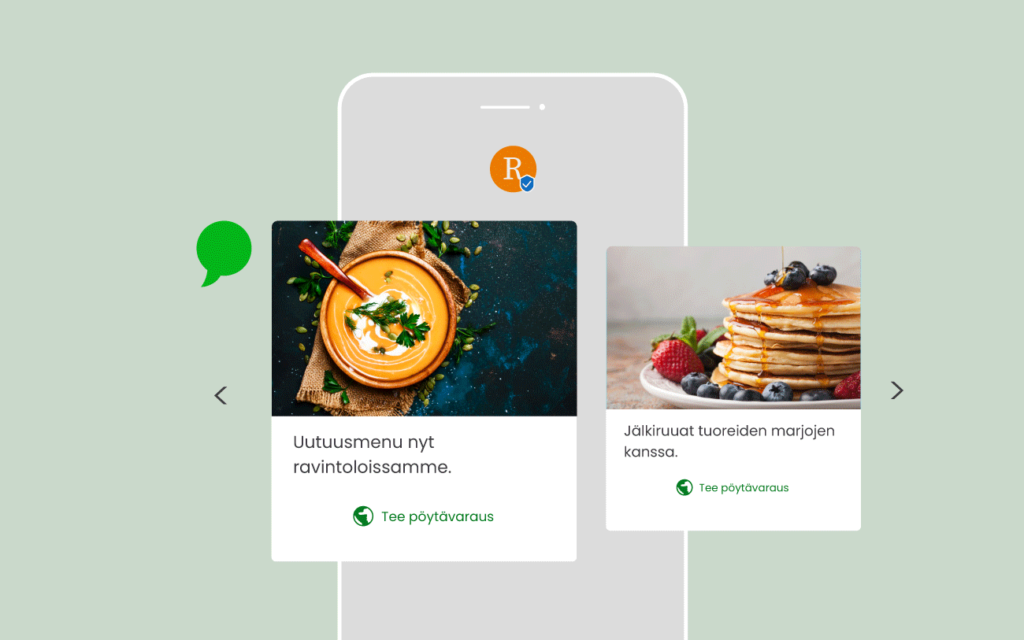
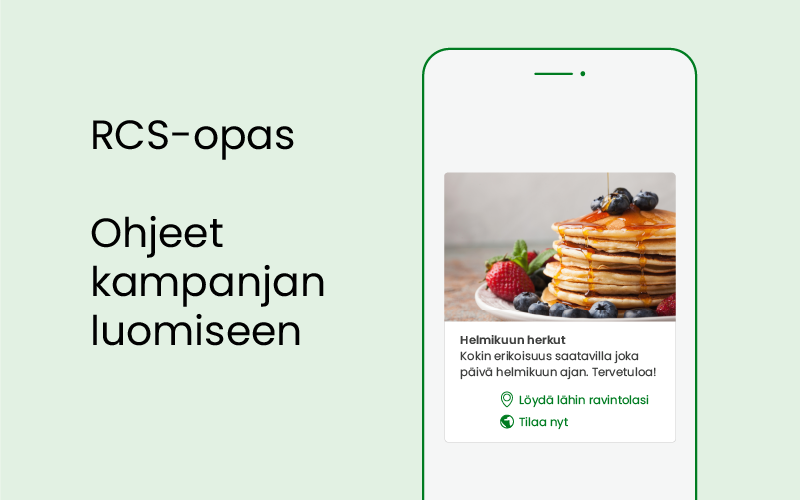
With RCS (Rich Communication Services), you can send visual and interactive content directly to the Messages app on your customer's mobile phone. RCS currently works on Android phones, but Apple has announced that RCS support will also come to iPhones in 2024.
RCS brings together the benefits of other communication channels, but RCS does not require the user to download an app or create an account. The native messaging application on phones, which is also used for SMS, supports RCS as such. The creation of an RCS message differs from the creation of an SMS campaign because of its visual and interactive nature. Whereas a short text message is sufficient for a SMS, an RCS message can contain images, videos, gif files and various functions. In this article you will find practical tips on how to create an RCS message campaign.
Elements of an RCS message
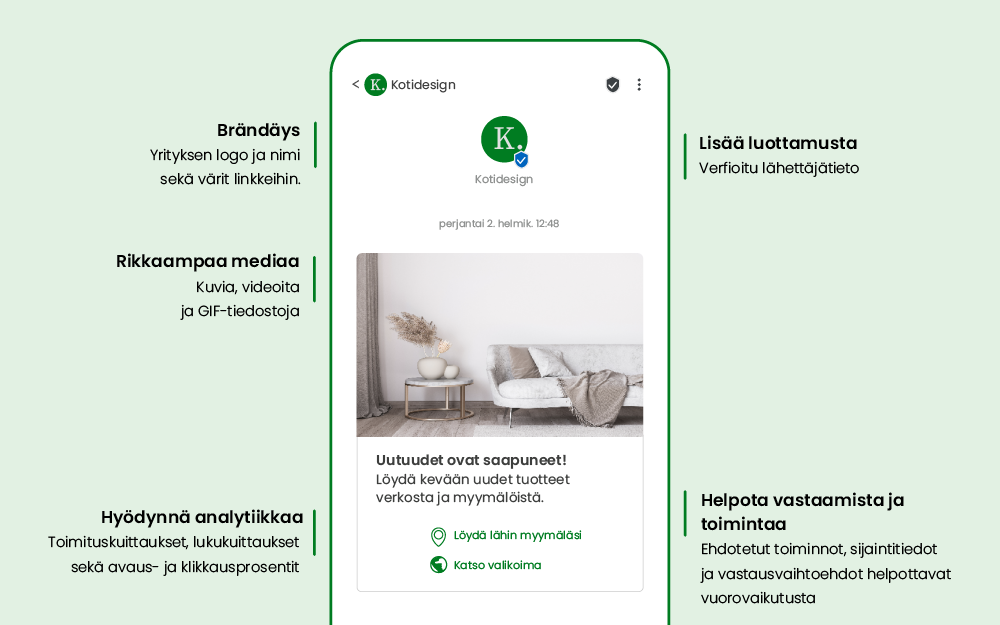
Branding - Make your brand distinctive and recognisable by bringing your brand visuals, such as your logo and colours, to your messages.
High-resolution images and videos - Capture your customers' attention with stunning photos, engaging videos and gif animations directly in your phone's messaging app.
Proposed responses and actions - Facilitate interaction by adding buttons and ready-made replies to messages.
Connection between applications - Send messages that open in browsers, maps and other applications.
Cards and carousel messages - The visuals and buttons on the cards make interaction easier, more enjoyable and smoother.
Verified sender information - Each company will be registered and will have the right to send messages under its own brand name. This provides additional security and the recipient can be confident that the message is coming from a trusted source.
Better reporting - With built-in analytics, you can see who's reading your messages and who's not. Delivery metrics, open and click-through rates give you more accurate information about the effectiveness of your messages.
SMS fallback - If the recipient's phone does not support RCS, we will ensure that the messages are delivered as regular SMS or MMS messages.
Verified sender information
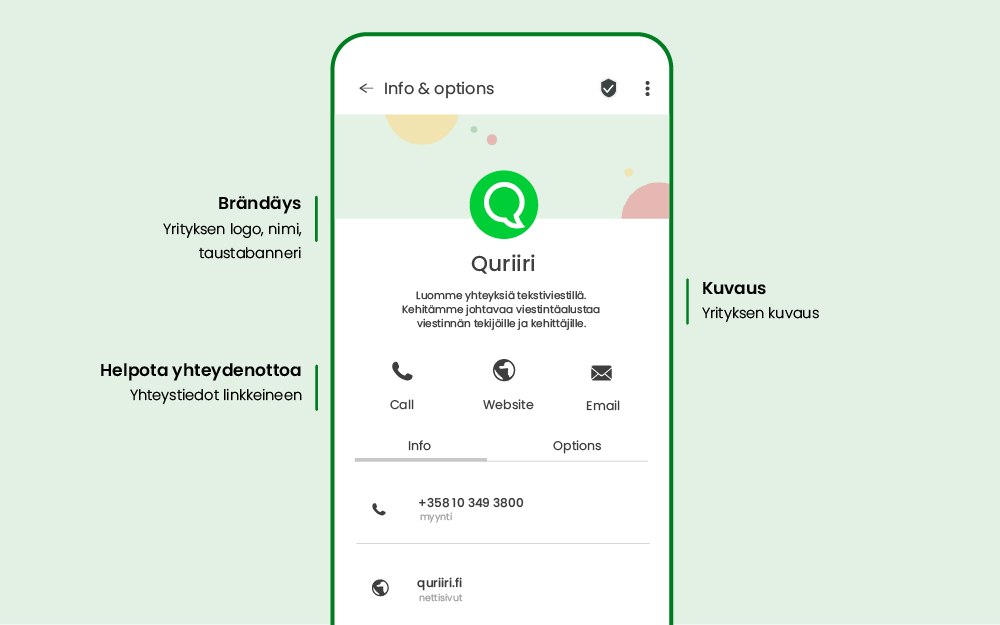
In order to send RCS messages, the sender information of the company must be registered with Google. We at Quriiri take care of the registration on behalf of our customers. During the registration process, a profile is created for the company, where you can add your logo, colours, wallpaper and contact details with links. The recipient of the message can easily find your contact details and can easily contact your company.
Content cards
Content cards are a feature of the RCS message that allows rich content to be sent to the user. Content cards can contain media, text and suggested responses and actions for your users. You can include JPG, PNG, video and audio files in your content cards.
Content cards can be sent individually or grouped into a carousel, allowing multiple options to be presented in the same message.
Vertical content cards
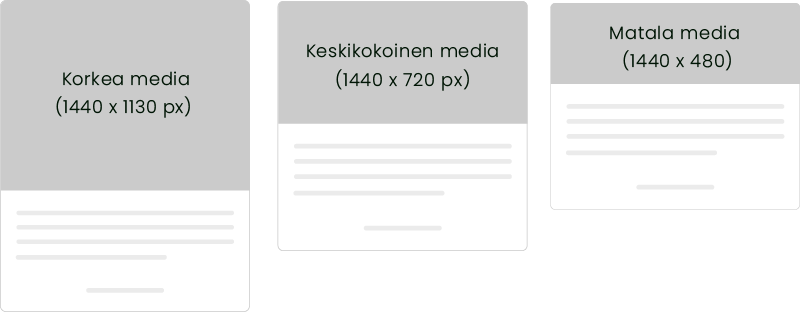
- On vertical cards, the media is displayed at the top of the card. You can choose high, medium or low media.
- The optimum resolution for medium media is 1440 x 720 px (aspect ratio 2:1).
- The maximum file size is 2 MB for images and 10 MB for videos.
- Videos can be previewed in a message, and clicking on the preview image will open the video itself.
- The maximum file size of the video preview image is 100 kB.
Horizontal cards
- In horizontal cards, the media is displayed on the left or right side of the card.
- The height of the media is determined by the height of the text content of the card.
- The maximum file size is 2 MB for images and 10 MB for videos.
- Videos can be previewed in a message, and clicking on the preview image will open the video itself.
- The maximum file size of the video preview image is 100 kB.

Carousel
With the carousel, up to 10 product cards can be included in the message for customers to browse and click on.
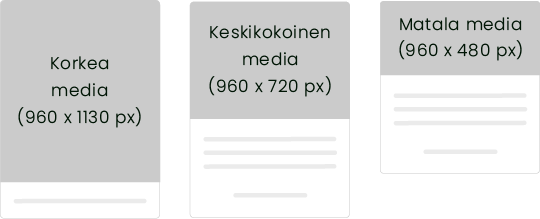
- The height of the first cards on the carousel determines the height of all the cards. The cards in the carousel are displayed on the phone at the same height.
- On carousel cards, the media is shown at the top of the card.
- The optimal resolution for medium media is 960 x 720 px (aspect ratio 4:3).
- The maximum file size on the carousel is 1 MB for images and 5 MB for videos.
- The maximum file size of the video preview image is 100 kB.
Proposed activities and responses
Suggested replies help users to respond to the message and allow them to guide the discussion. Suggested activities can make it easier to find a location, go to a website or even call customer service. Provide only as many functions as necessary. Limit the number of suggested activities and responses to what is useful to the user in a given context.
Tips on message content
Visual attractiveness: Choose images that are visually appealing and that support the content of your message. Use high-quality images that are clear and interesting to your target audience.
Colour and contrast: Pay attention to the colours you use and make sure they are attractive and contrasting. This will help your image stand out and draw attention.
Text content: Send messages that are inclusive and easy to understand. Good message text encourages users to respond and react.
Test and optimise: Preferably test messages on different devices and different screen sizes to ensure they work and are attractive. If necessary, make adjustments and optimise images for better performance.
We hope these guidelines will help you in creating your RCS campaign. Always remember to monitor the performance of your campaign and make changes if necessary to achieve the best possible results. At Quriiri, we are happy to help you create both SMS and RCS campaigns. Contact us, if you need more information.