

Integrate Quriirin SMS messaging with HubSpot automation (workflows) and send SMS messages to customers directly from HubSpot. Messages are guaranteed to be delivered using Quriiri's reliable technology. Now you can automate the delivery with HubSpot and send text messages to your customers at the right time.
What can you do with HubSpot integration?
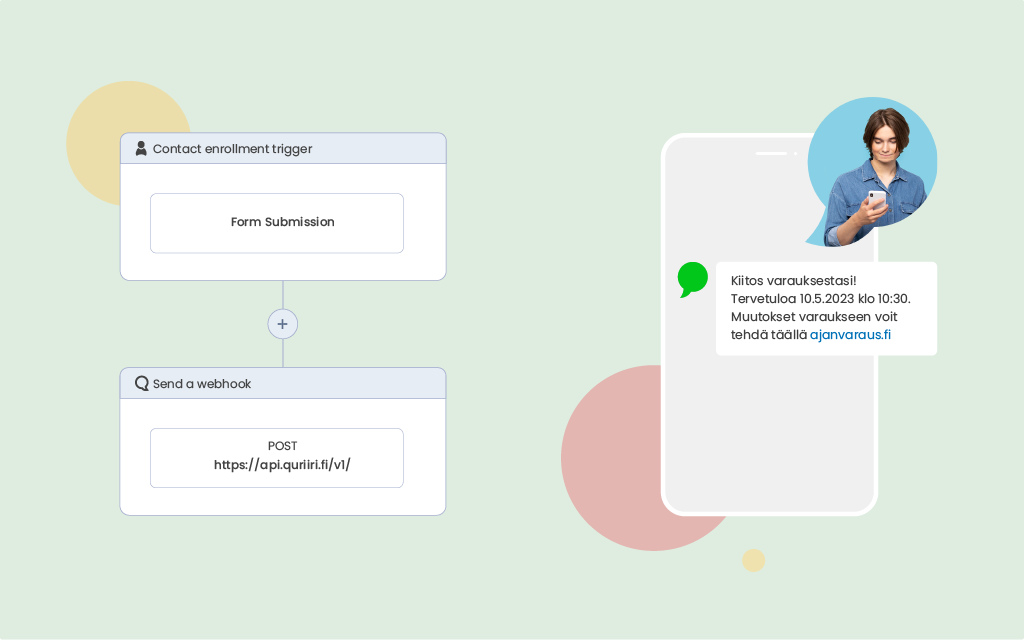
Currently, you can associate Quriiri's SMS messages with HubSpot's workflows automation, which triggers the sending of SMS messages based on different HubSpot events. For example, you can send an SMS when a new contact is registered in the CRM, there is a change in the customer's status, an email has not been opened or has not been replied to. You can improve the customer experience at many different points in the customer path, by sending them relevant and useful SMS messages.
Why add Quriiri's SMS messages to HubSpot automations?
Most often, HubSpot workflow is used to achieve a goal, such as customer acquisition, customer service or sales. For all of these, SMS is perfect, because SMS reaches people quickly and reliably. With Quriirin's SMS service, you can make sure you're using reliable domestic technology to send SMS - and stay on top of SMS prices with our clear pricing.
By combining SMS with HubSpot automation, you can significantly improve the customer experience by communicating with customers in the SMS channel.
How is HubSpot integration done?
Quriiri can be used in HubSpot by means of so-called webhooks. Webhooks are a simple way to pass information from one application to another. Webhooks allow an application to send information to another application when something new happens. So, when a change occurs in HubSpot that makes you want to send a text message to a customer, HubSpot passes the information to Quriiri, which in turn sends the text message to the customer automatically.
The integration is quite simple to do:
- 1. Log in to Quriirin and create a new routing direction HTTP → SMS
- 2. Recover API key and save the routing
- 3. Create automation On HubSpot and more Send a webhook -to the point where you want the text message to be sent.
- 4. Make the webhook more specific.
You can find more detailed instructions on how to integrate with HubSpot here.