
Quriiri
Quriiri is a service that provides developers with an API interface for SMS messaging to integrate with their own business processes.
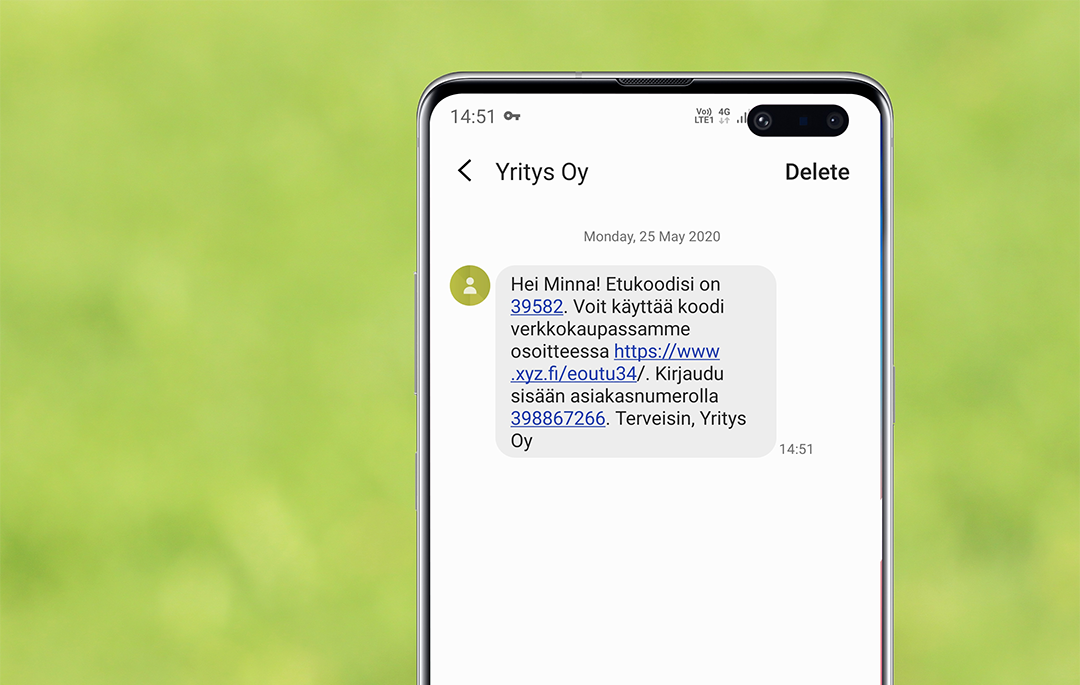
In addition to sending a static SMS message, the Quriirin API interface allows you to personalise the message according to changing dynamic data. The dynamic data must be saved for contact Quriirin contact database, from where it is used to send a message.
In our example, we create an SMS message using the contact's name and customer number.
Maintaining contact information in the Quriiri contact database
Contact information managed by Quriirin In the Contacts section. You can store 15 different records for a contact, 11 of which are predefined, such as first name, last name, date of birth, address, etc. 4 of the records are freely definable. These freely definable records are called Parametri1, Parametri2, Parametri3 and parameter4.
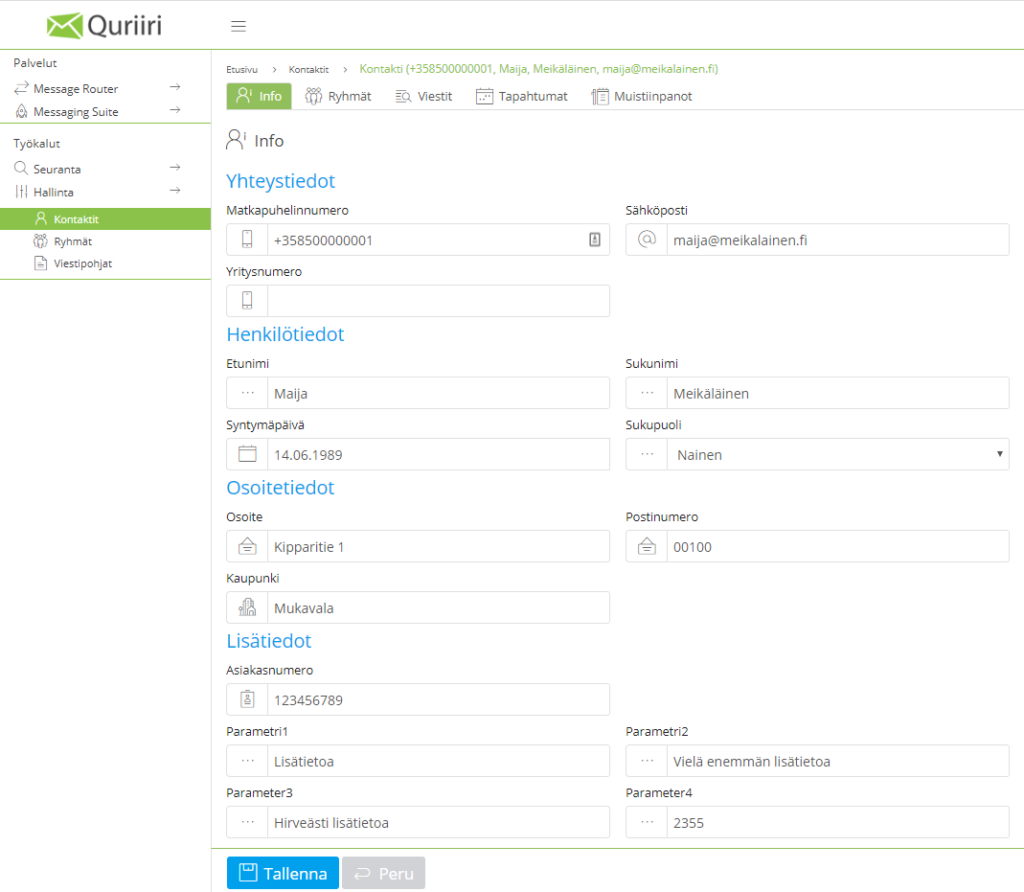
New contacts can be created one by one in Quriiri, but the easiest way is to import contact information all at once, either by Excel- or csv-file extension. For each column in the file, enter the desired information (e.g. GSM number in column A, first name in column B, surname in column C, etc.).
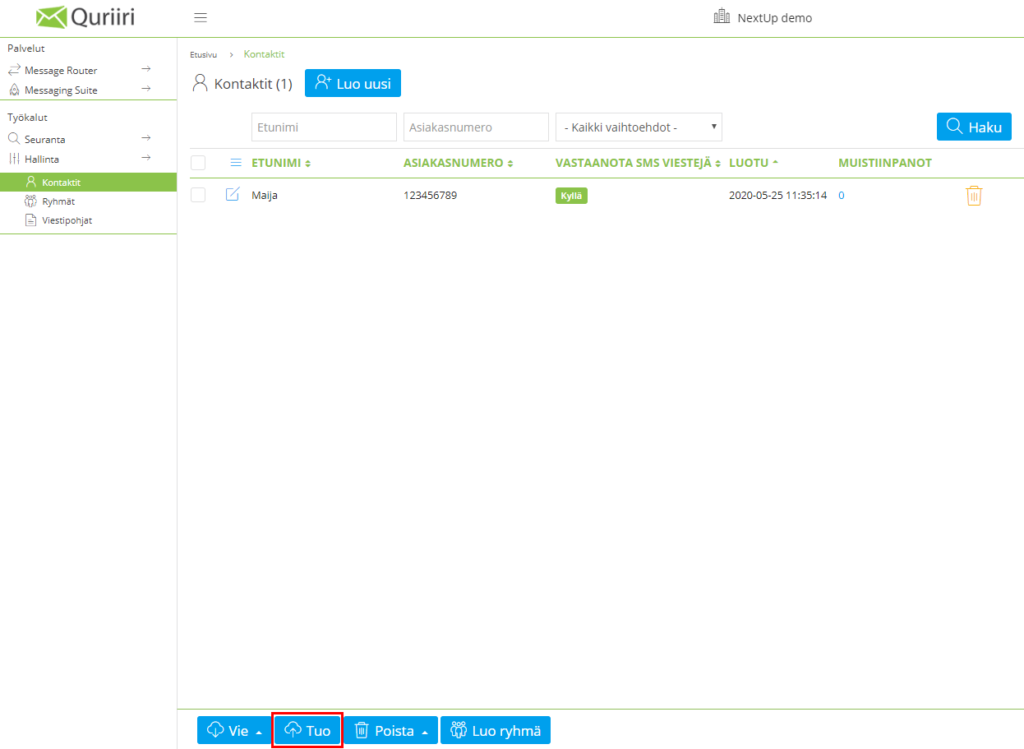
To start importing, tap ”That” -button on the Contacts page at the bottom of the page. The import step defines from which column in the file which data will be imported to Quriiri (so-called targeting).
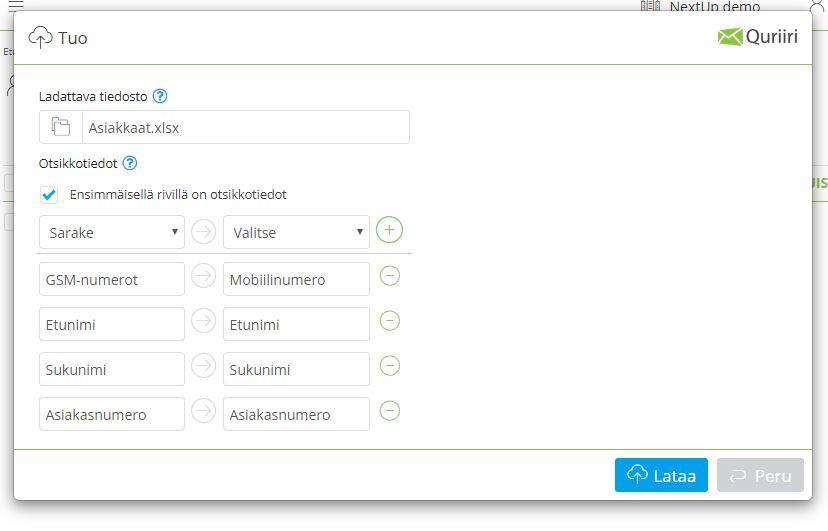
When importing larger amounts of contact information at a time, the import process may take a little longer.
If you want to update the entire contact database at once, you can do a so-called mass update by uploading only a new file to the Quriirin contact database. The changed data will be updated and the new data and contacts will be added automatically.
Message personalisation and personalisation criteria
The message content and personalisation criteria can be specified either in the interface call or in the interface to the routing message base. Personalisation can be used for both HTTP -> SMS and E-MAIL -> SMS route directions.
You can add as many personalisation criteria as you like to the message you send. If the contact has no information stored for the personalisation criteria used in the message, nothing will appear in the message where the personalisation parameter/location tag has been added.
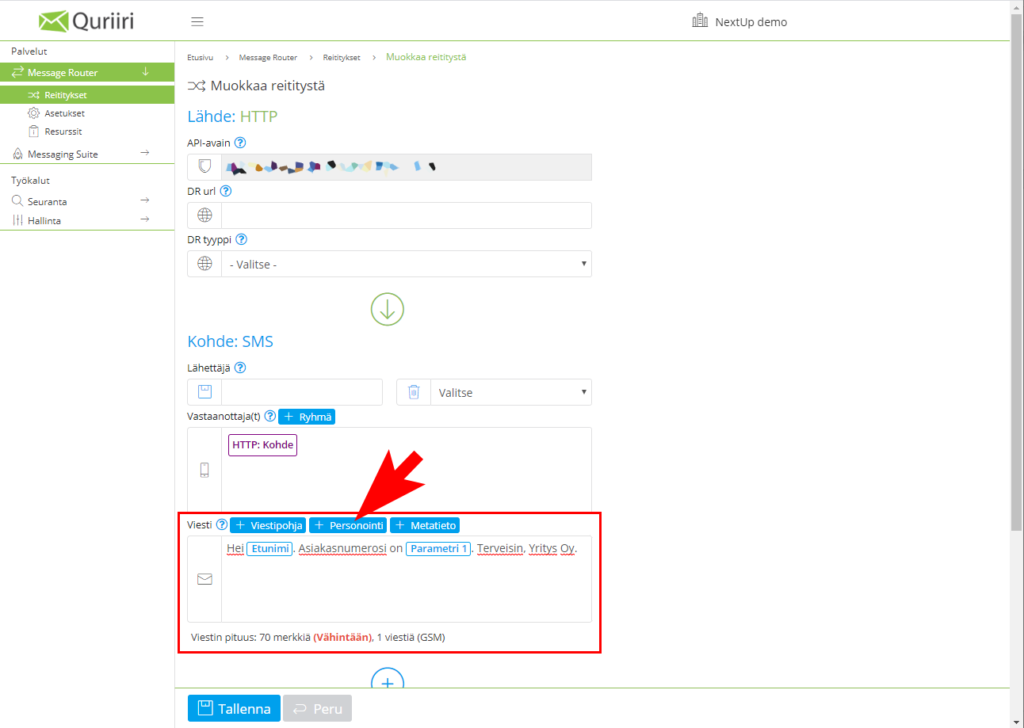
Personalisation through the message base
Enter the content of the message in the ”Message” -field. Specify the desired personalisation criterion in the desired part of the message ”Personalisation” -button. You can add more than one criterion to the same message. If you do not want to specify any message in the boundary call, uncheck the message field HTTP: Message -placemark, in which case the message content is limited to the message entered in the field.
Personalisation in the interface call
Add to the message content of the interface invitation (in the http invitation text -parameter) to the desired personalisation parameters for the items you want. The available parameters are listed below:
| Personalising value | Parameters |
| First name | ${first_name} |
| Surname | ${last_name} |
| ${email} | |
| Birthday | ${birthday} |
| Address | ${address} |
| Postal code | ${postalcode} |
| City | ${city} |
| Customer number | ${customernumber} |
| parameter1 | ${param1} |
| Parameters2 | ${param2} |
| Parameters3 | ${param3} |
| parameter4 | ${param4} |
Example:
POST /v1 HTTP/1.1
Authorization: apikey xxxxxxxx-xxxxx-xxxxxx-xxxxxx-xxxxxxxxxxxx
Content-Type: application/json
{
"}, "sender": "Quriiri",
"}, "destination": ["+358400000001", "+358500000002" ],
"text": "Hello ${first_name}. Your customer number is ${customernumber}.!"
}
Summary
Personalisation of text messages via the Quriirin API is easy and can be done either via a delimiter call or by defining a personalised message base in the Quriirin interface (or both).
The data according to which the personalisation takes place must be stored for the contact in Quriiri. Contact data can be easily imported and managed, for example using Excel or csv files.